
Remux Core Concepts
Understand addons, tasks, content, IPTV, and streaming in Remux.
Remux is an extensible media platform built around addons, tasks, and configurable content collections. This guide walks through core concepts — Addons, Tasks, Content, IPTV, and Streaming — and how they work together.
Table of Contents
A. Addons
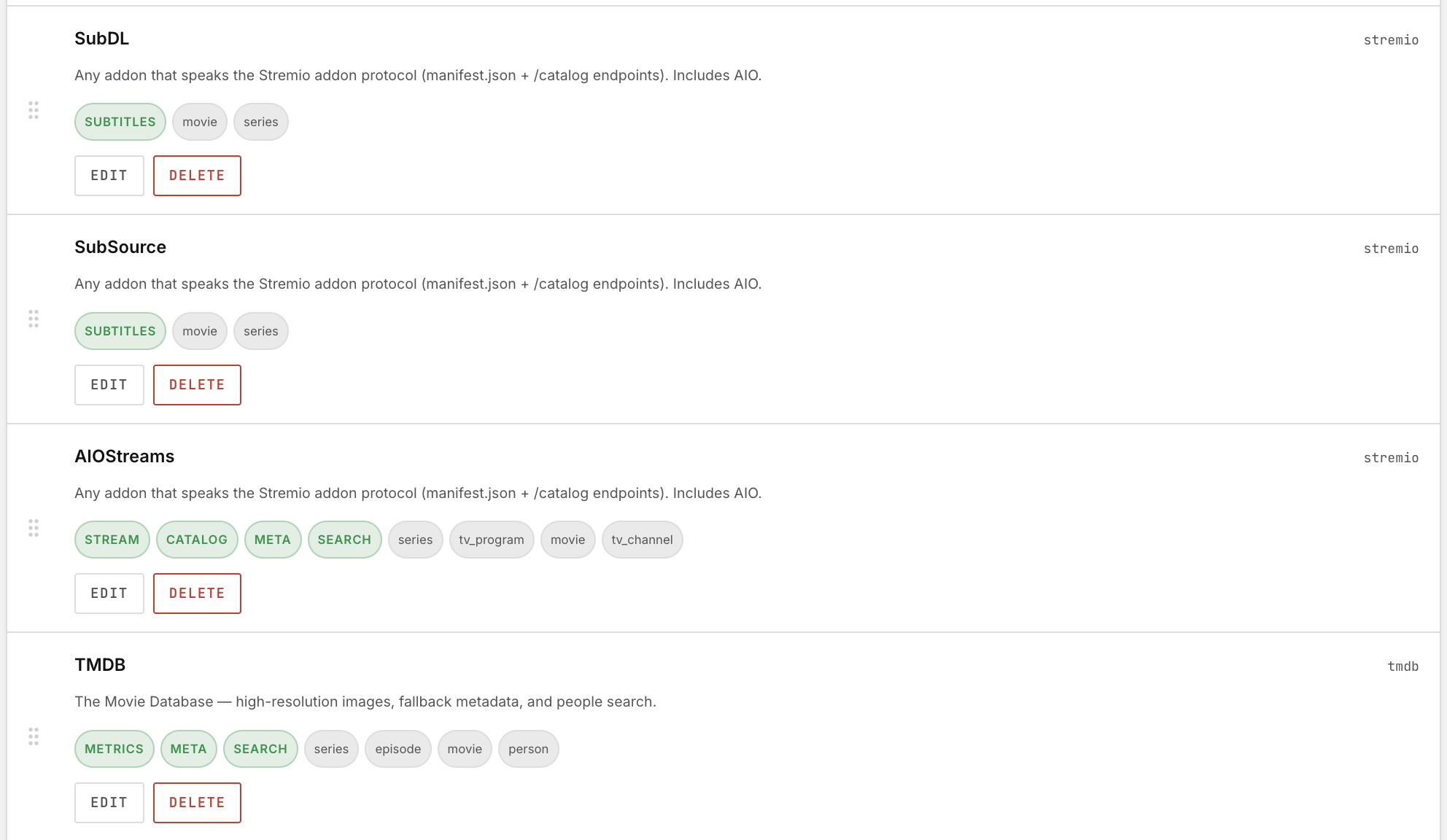
Remux ships with the TMDB Addon enabled by default. All additional functionality is added through addons.
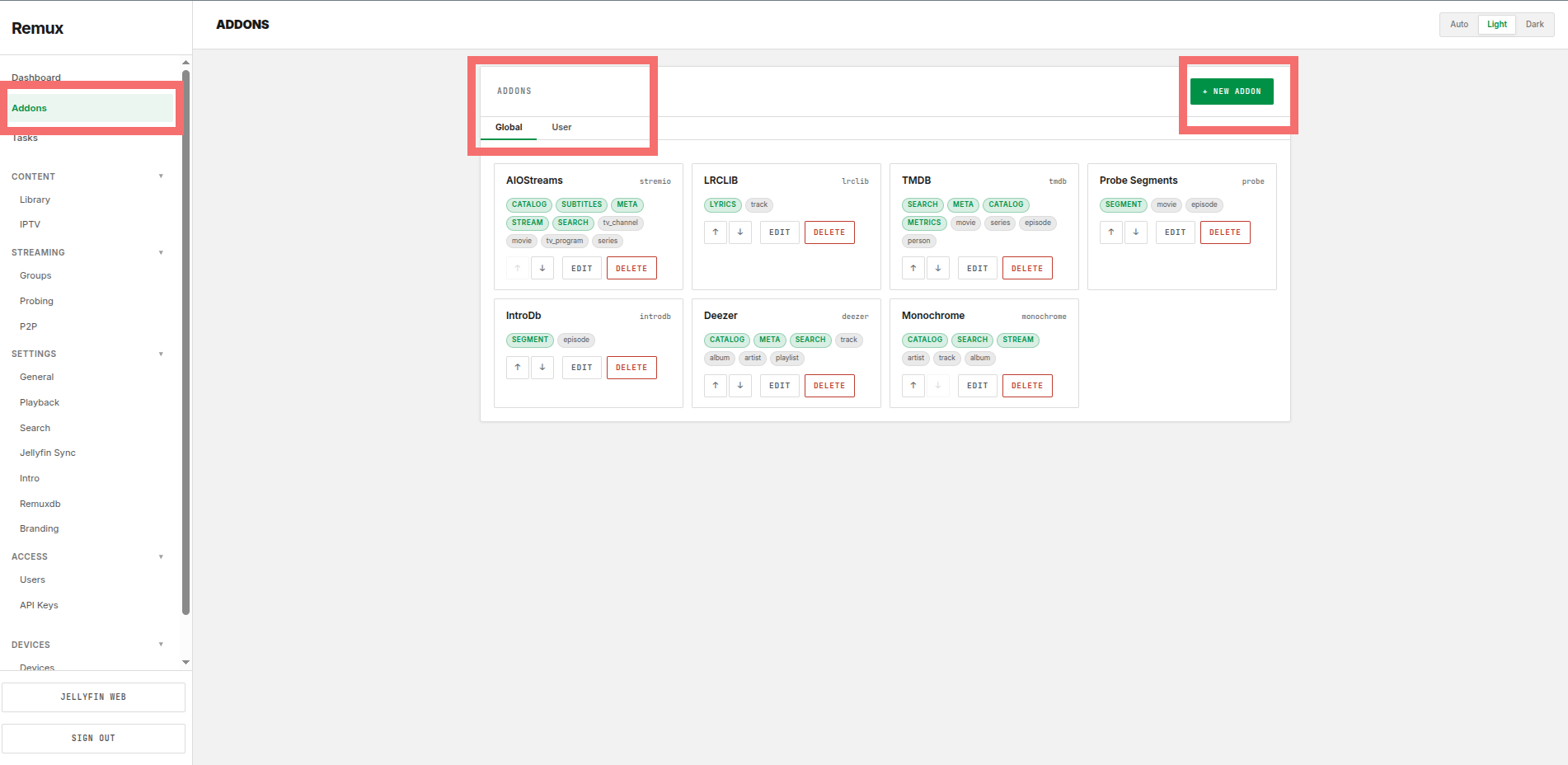
Select the addons that provide the functionality you'd like to add to Remux, then click Configure to set them up.
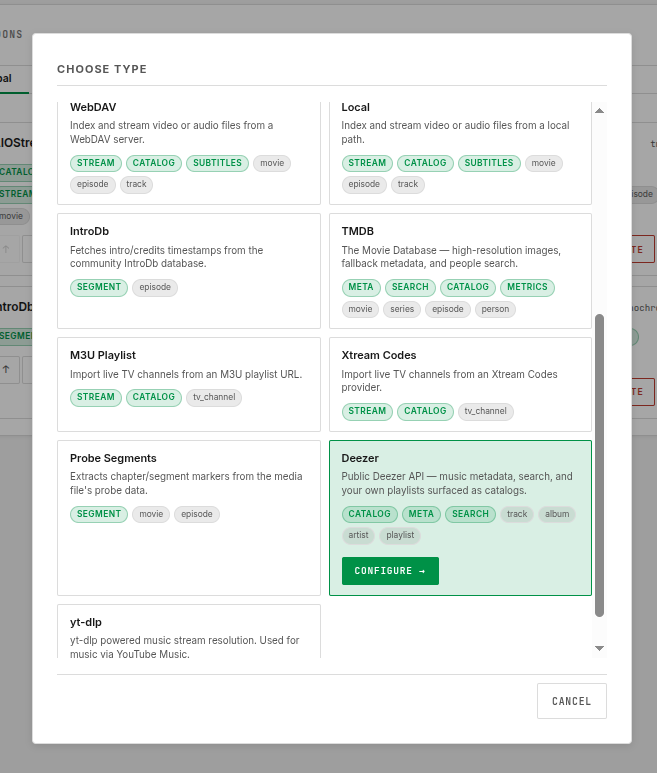
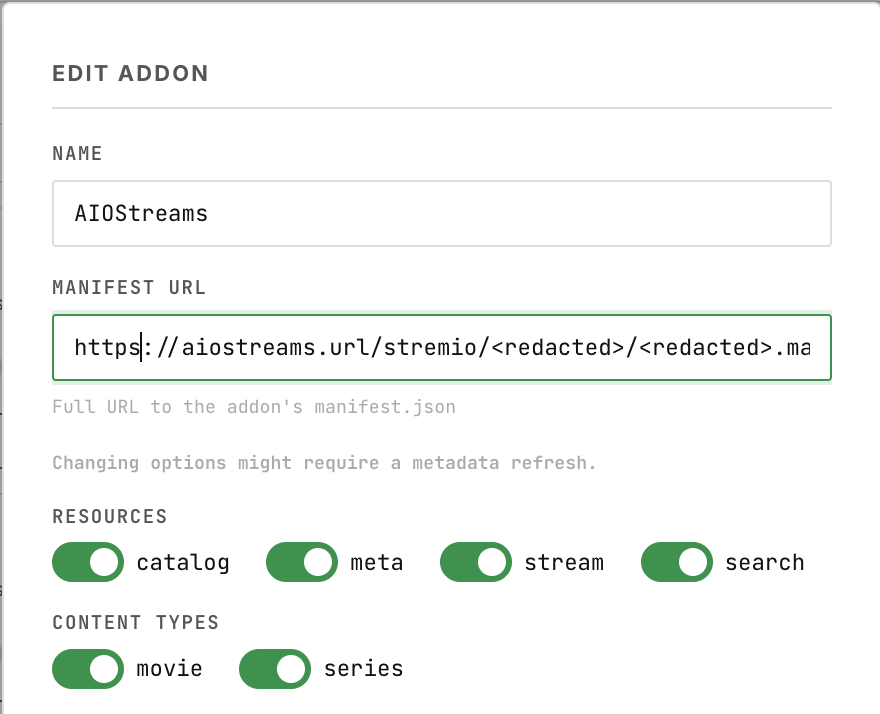
You can enable different capabilities such as providing metadata and catalogs for movies and series.
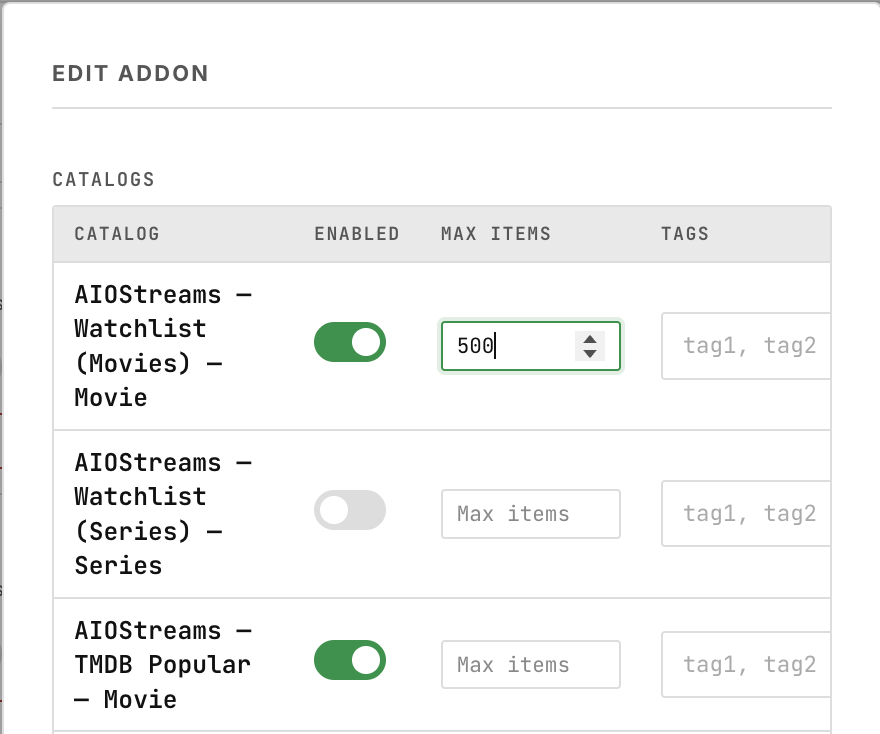
For the Stremio addon you can enable catalogs that you want to be imported by the "refresh library" task. You can set a global max catalog items in "general", or override the setting for a specific catalog.
Note — Priority Ranking Addons follow a priority ranking system, ordered top to bottom. If you want search results and catalogs from one addon to take priority over another, reorder the addons and give your preferred addon higher priority.
B. Tasks
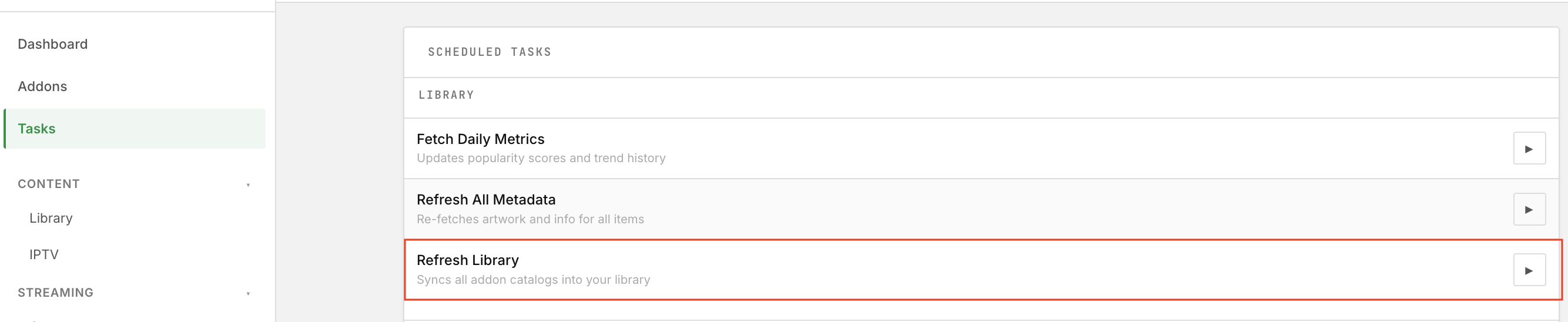
Once functionality has been added via Addons, the Tasks section is where content or channels are populated (sourced) from the addons.
As an example, for addons that include movie or series content (for example through Stremio catalogs/lists), you have to run the "refresh library" task by hitting the play button.
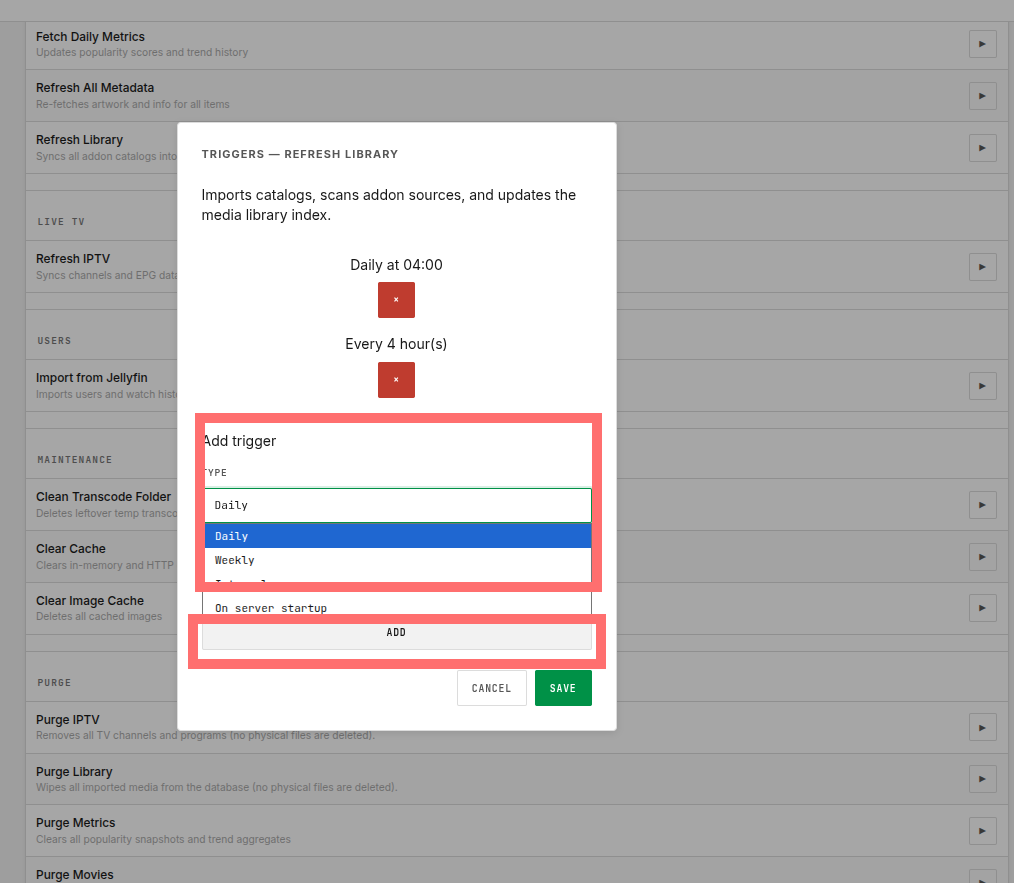
Tasks can be scheduled to run on an interval by clicking a task row:
C. Content
Remux's content model is built around infinitely extensible Collections, sourced from addons and displayed in a variety of ways.
You can import lists from AIOStreams, AIOMetadata, or most Stremio-compatible manifest.json sources via the Addons section, then add them to any available library type.
If you encounter a Stremio-compatible manifest that isn't supported, please report it as an issue.
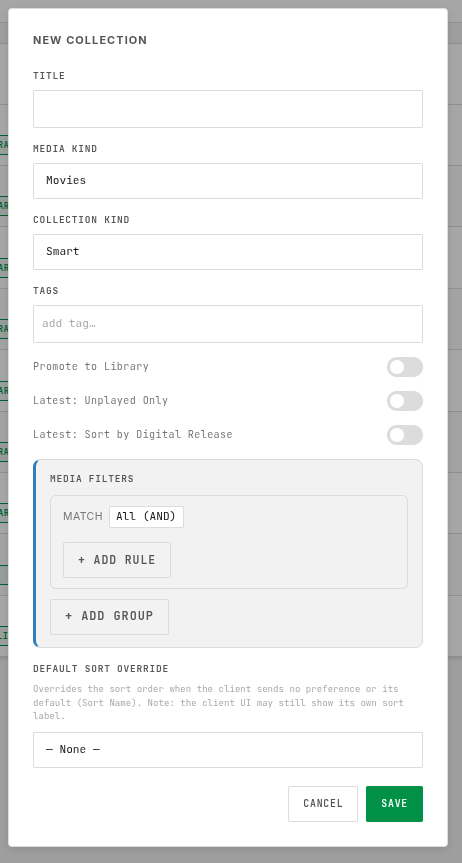
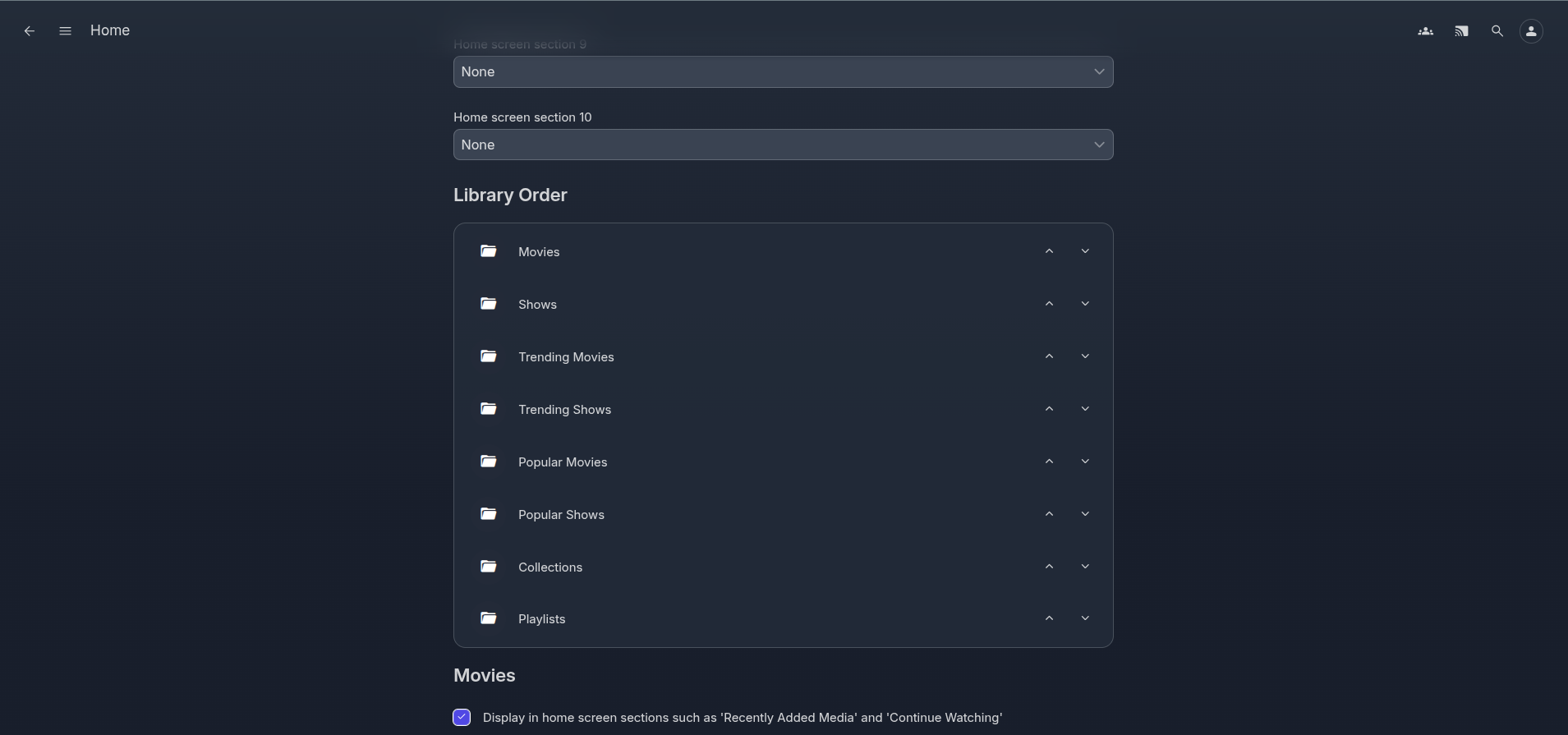
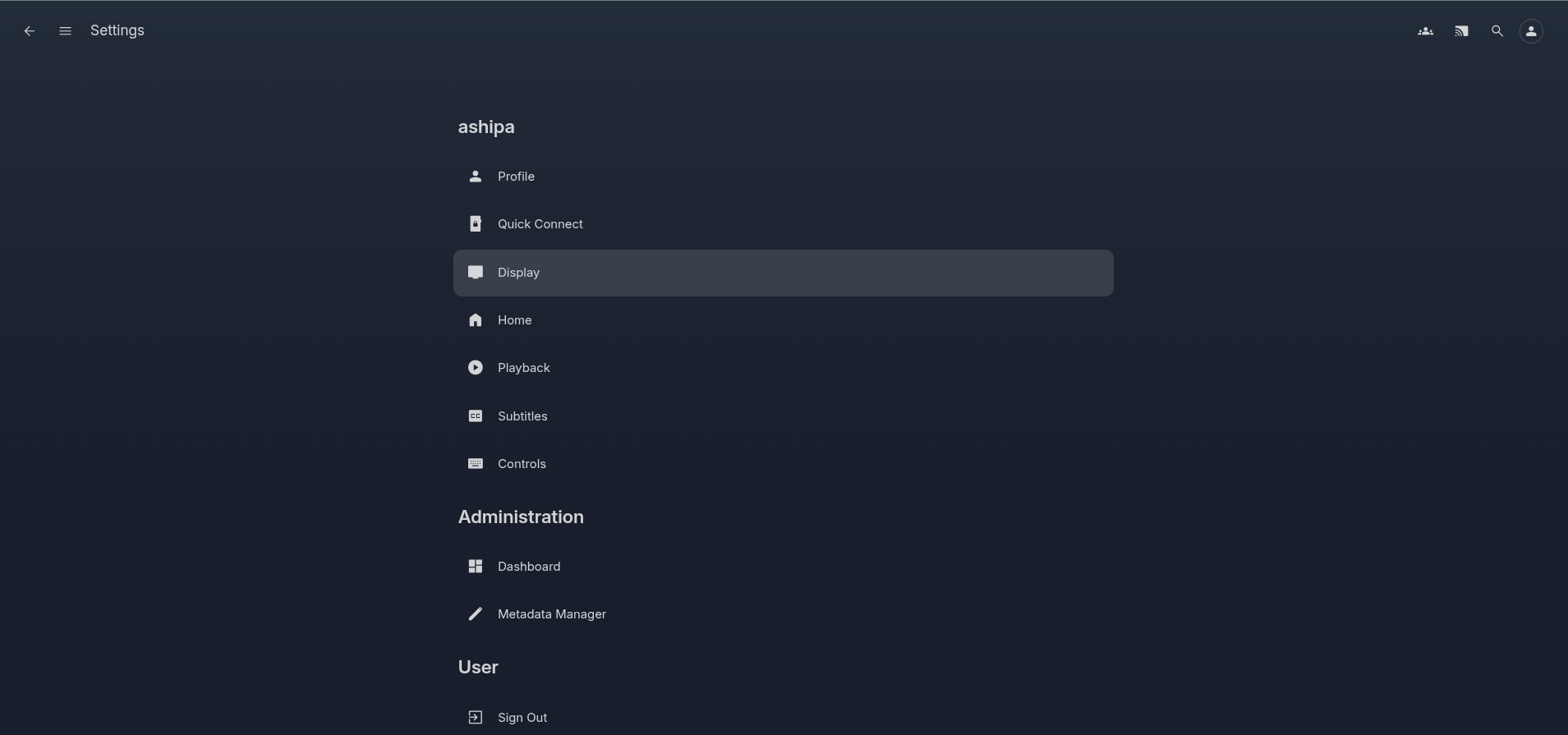
Note: Collections with the "Promote to Library" toggle enabled are displayed as individual libraries and rows in the Web UI. The order in which these appear is managed under User Settings → Home.
 |  |
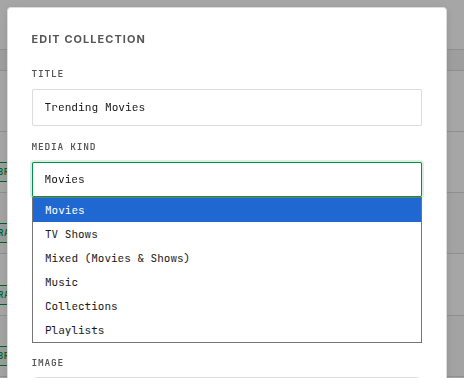
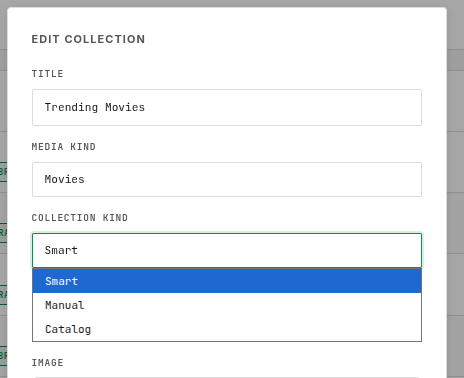
Media Kind & Collection Kind
The Media Kind and Collection Kind determine what content is added to each collection. "Smart" is usually what you want for collection kind (for your overall library to be filtered based on a set of criterias).
 |  |
Media Filters
Media Filters let you further drill down the specific content shown in each collection, according to your preferences.
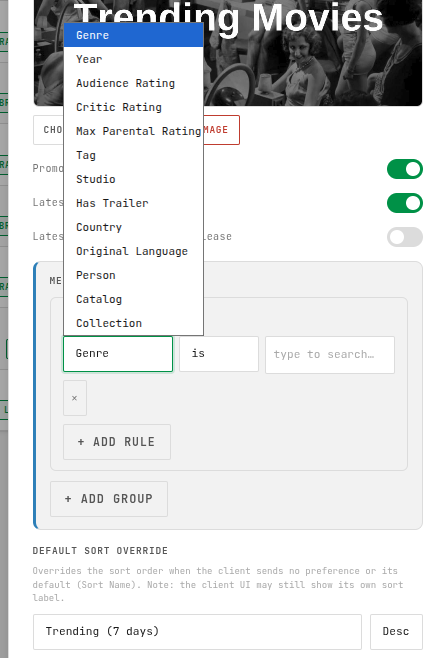
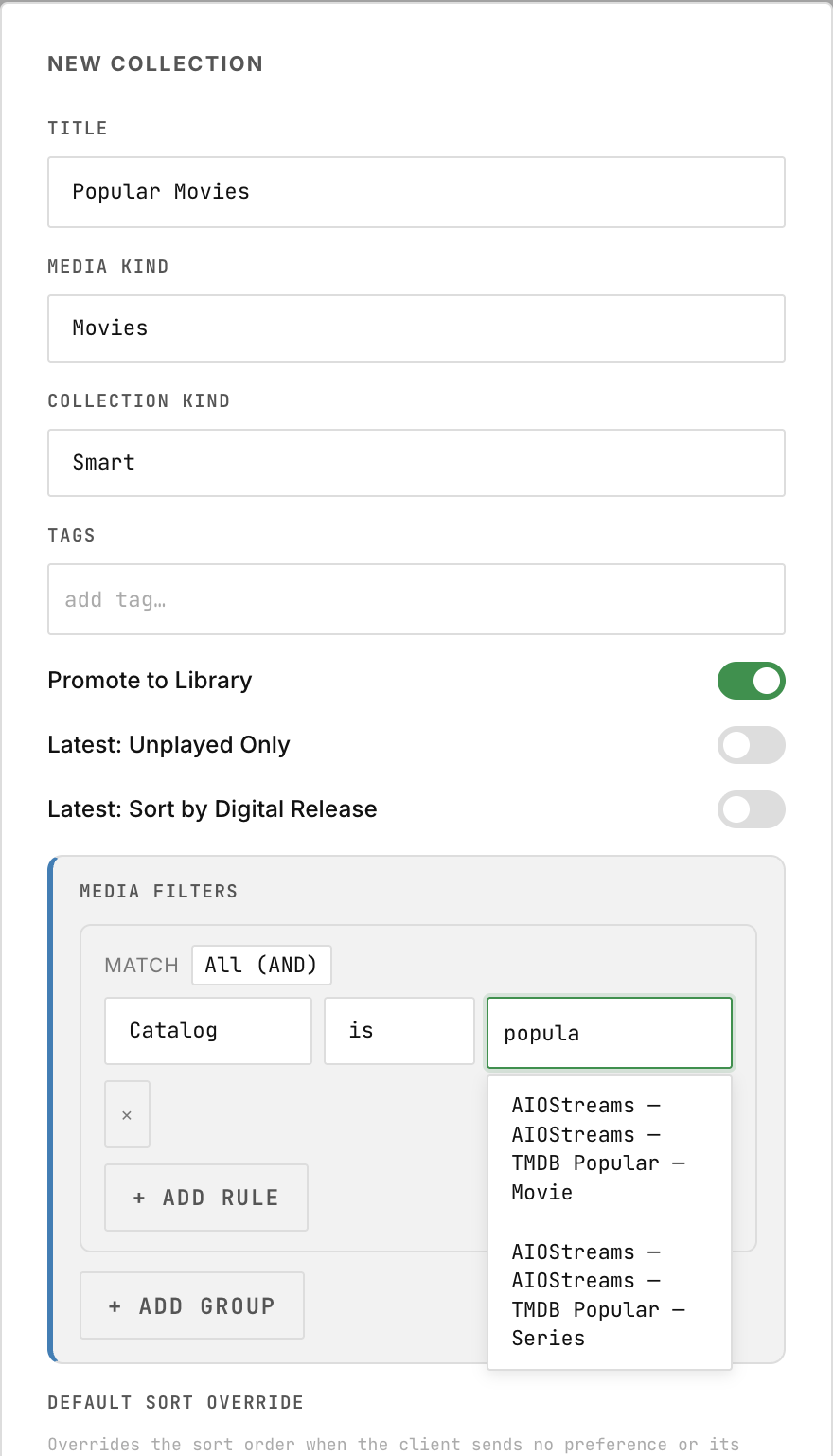
As an example, if you want to a Stremio catalog to appear "the Stremio way", you can add the filter "catalog", and search for the name of the catalog. Also promote the collection to library:
D. IPTV
The IPTV workflow follows three steps:
- Add the IPTV source via Addons (M3U and Xtream types are supported).
- Run the IPTV Task to import the playlist into Remux.
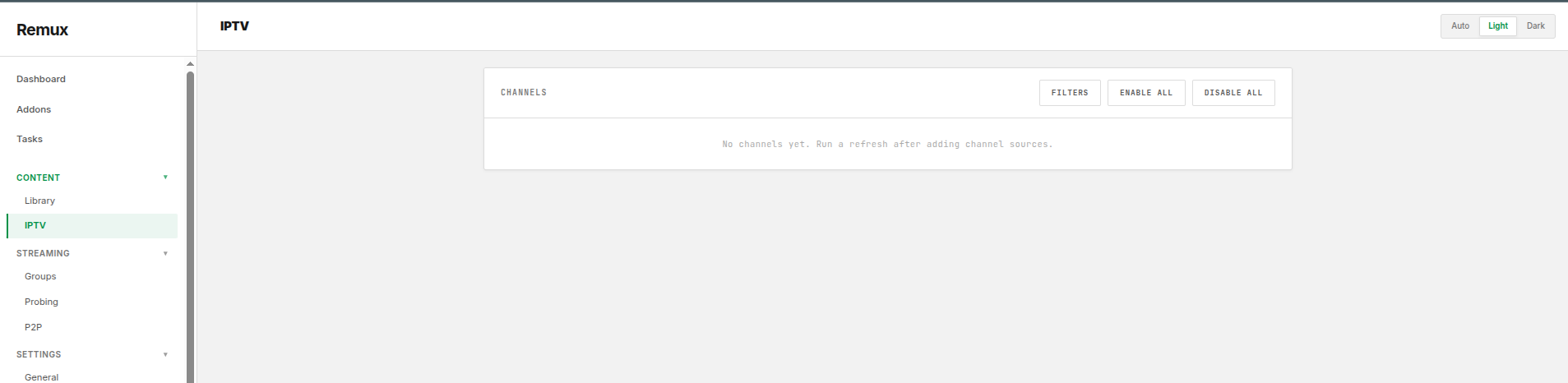
- Enable channels you want populated in the UI, under Content → IPTV.
E. Streaming
Note: Stream sort order and name formatting are configured in AIOStreams.
Remux adds the ability to further group stream results. Streams can be filtered and grouped by:
- Resolution
- Codec
- Quality
- Size
- Audio Language
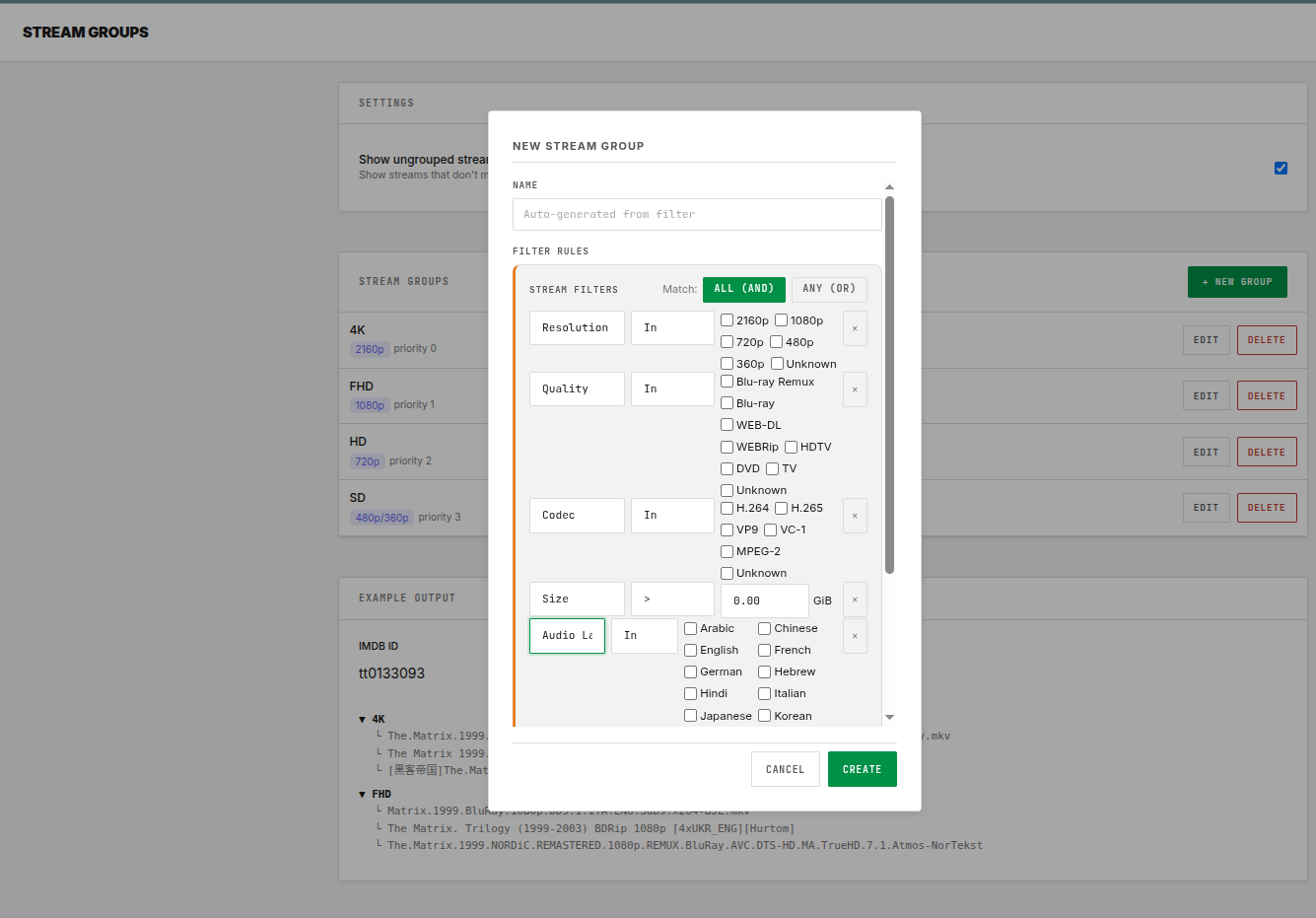
Note: When Stream Groups are enabled and configured, the name formatting set in AIOStreams will be overridden.
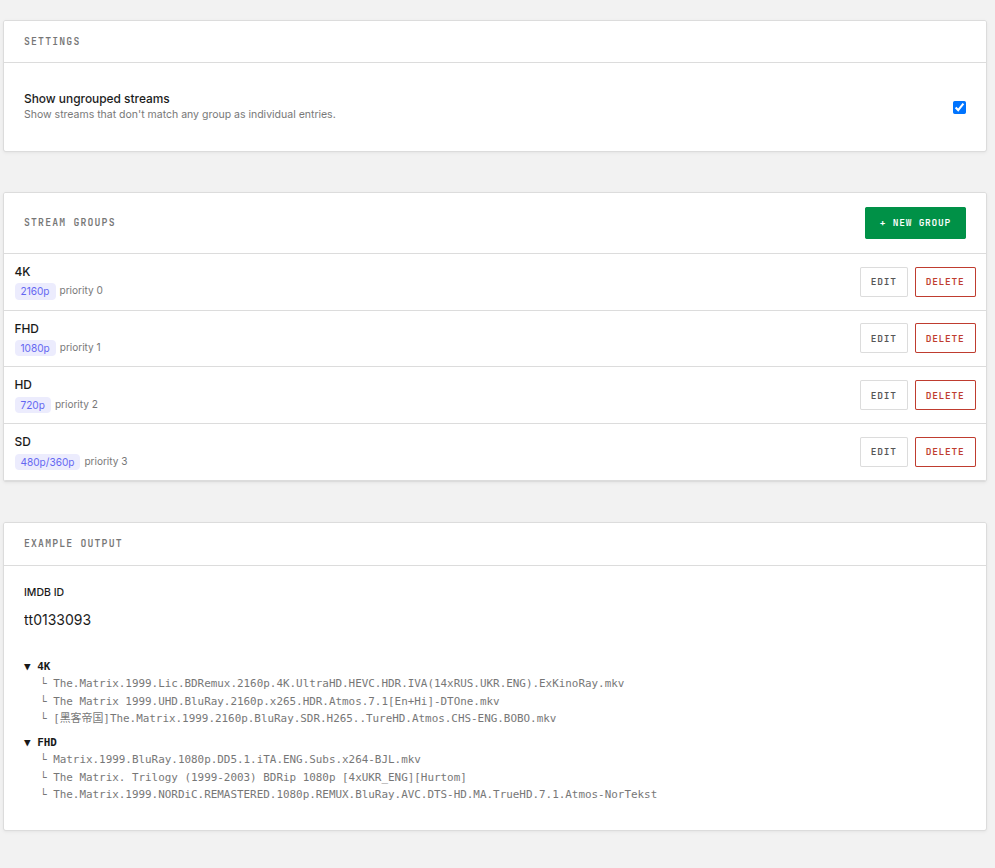 | 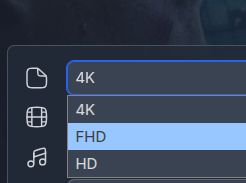 |
Stream Probing & Fallback
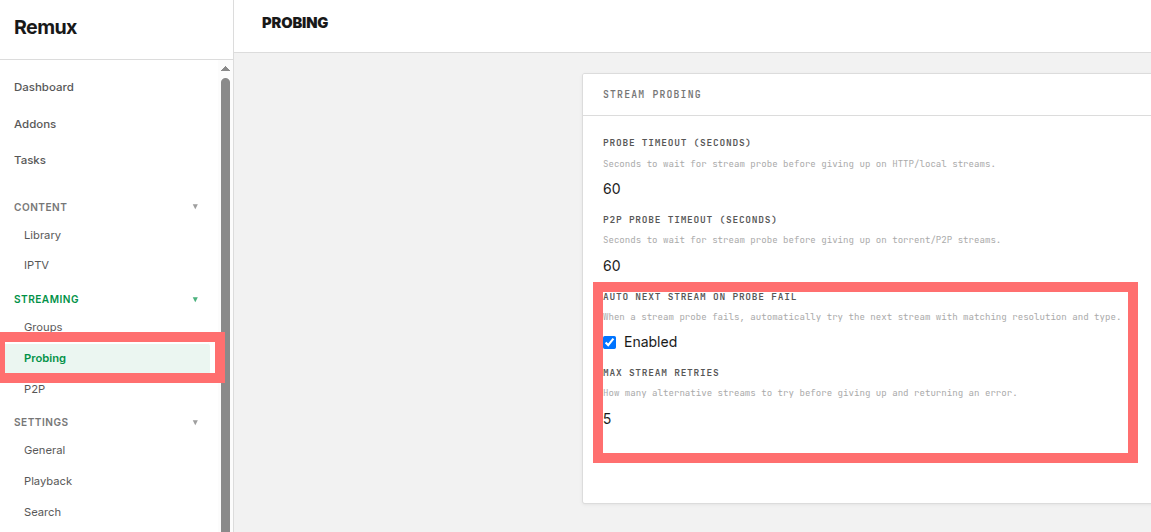
Stream probing duration and fallback behavior are configured in the Probing section.
It's recommended to enable Auto Next Stream when using Stream Groups — this ensures another stream is automatically attempted if playback fails or stalls. You can also configure the maximum number of streams in the fallback queue.
Last updated on by @jonas-thuvesson-winberg